School District of Philadelphia
Creative Strategy, UX Research, Website Design + WordPress Development
A Major Overhaul of the Website System for the 8th largest school district in the United States
The School District of Philadelphia serves over 190,000 students across more than 300 schools. The website, which was no longer serving its diverse audience groups, featured obsolete resources, and lacked mobile accessibility. Beth and a team of brand and web designers undertook a nine-month project to reimagine the district’s outdated, non-responsive website. The project thrived on collaboration, with Beth engaging with colleagues from the school district’s Information Technology, Superintendent, and Communications offices.
individual office and school sites to be redesigned
impact at-a-glance
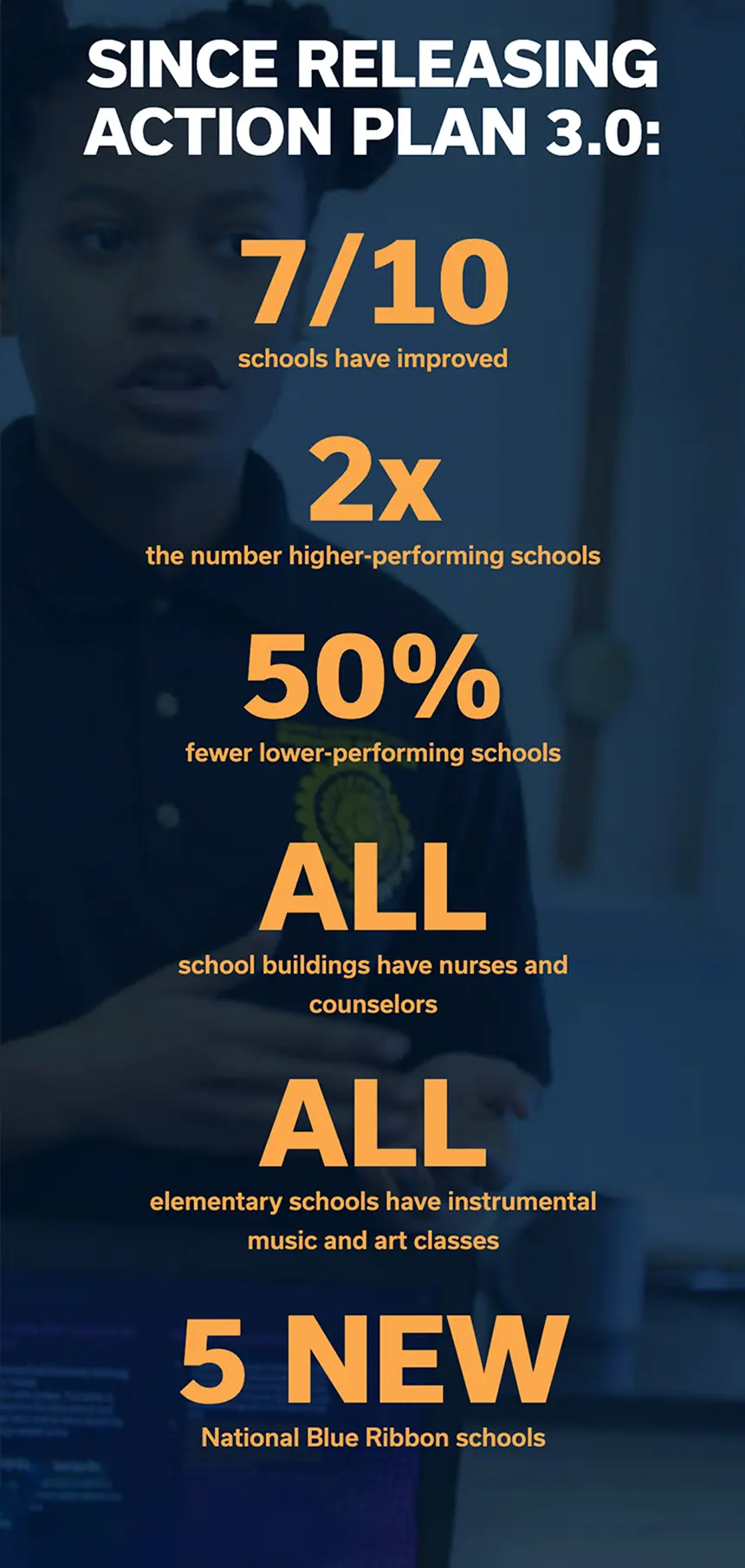
A comprehensive redesign of the School District of Philadelphia website system not only addressed user pain points but also empowered the organization to better serve its community with a modern, accessible, and user-friendly website.
Exhaustive Project Discovery
The project began with an extensive discovery phase that included a variety of UX-focused exercises that would solicit both technical and marketing opportunities.
User Personas Development: Crafted through interviews with 40+ users.
Stakeholder Engagement: Interviews and workshops with district leadership, staff, parents, and students.
Data Analysis: Reviewed analytics and heatmaps to understand user behavior.
Card Sorting Exercises: Conducted with user groups to prioritize website features and shape a UX strategy.
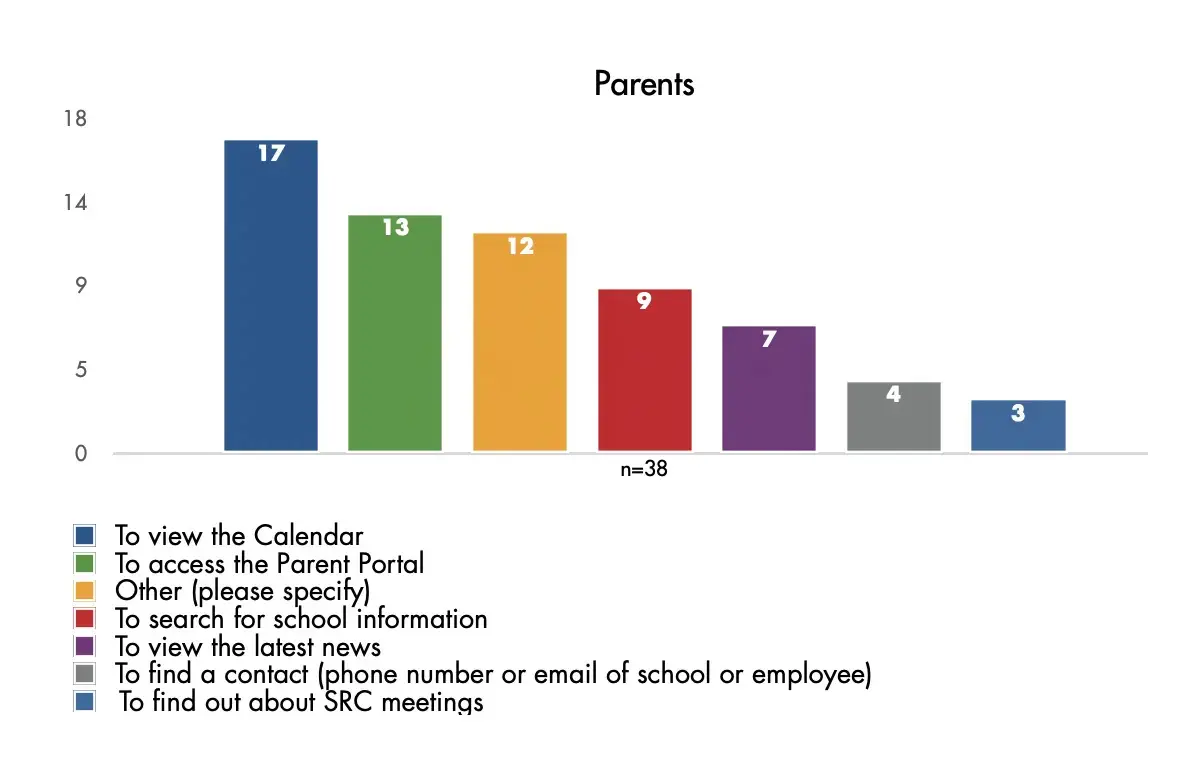
In the online survey, users were asked why they had visited the school district website on that particular day and were given a series of options to choose from. Most visitors to the School Finder and School Profiles pages found it easy to find what they were looking for and to understand the information.

Understanding User Needs
After identifying the school district’s key community members, Beth and her team conducted twelve discovery workshops with staff, leadership, parents and students. During each session, users participated in a card-sorting exercise to determine the priority of features that would us determine a new sitemap for the website and influence the overall design. Overall, users prioritized the tools that help them find content and contact information as well as news about students and schools. Compared with parents, staff users were more likely to rank the the School Finder feature much higher.
Key Findings:
- All users prioritized easy access to content, contact information, and news.
- School district staff prioritized the “School Finder” tool more than parents.
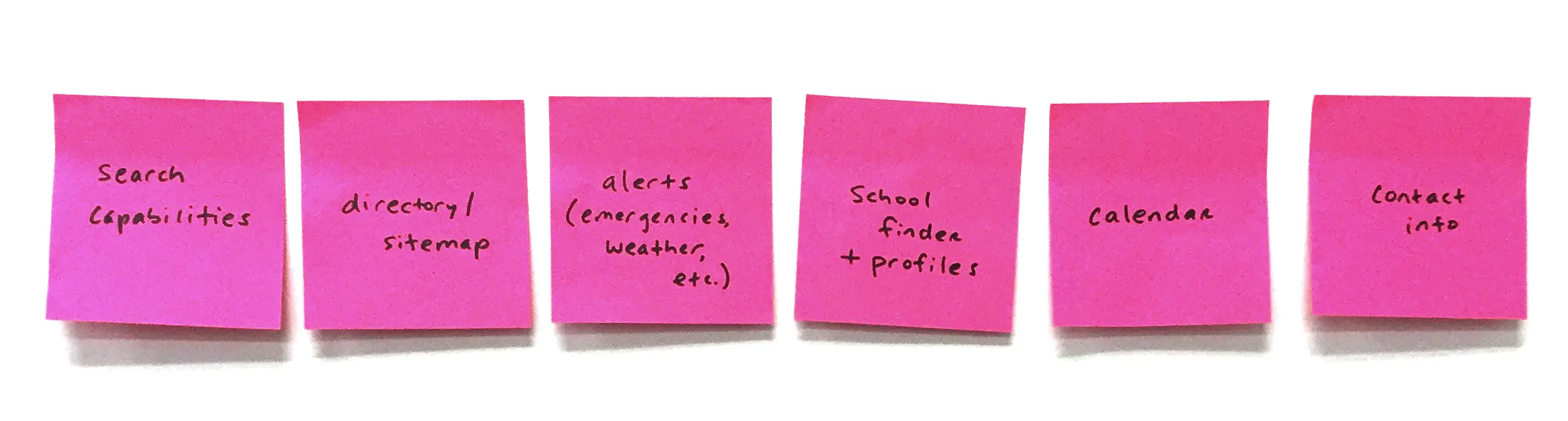
Images from the project’s card sorting exercises.
“I like just a simple image, a headline, and a tagline, and then I feel like I’m in control to make my choices.”
The project required a switch from a WebGUI content management system to WordPress which would allow for much-needed modernization of both aesthetics and functionality.
Finding Common Ground Across User Types
In conjunction with the in-person discovery workshops, an online survey was published and collected over 600 responses. While the majority of participants were SDP employees, we found that users of every type visited the website in order to access their respective audience pages (e.g. Employee Portal). Overall, users complained about the difficulty in navigating the website but spoke highly of the website content.
Key Findings:
- Users struggled with the site’s complexity.
- While highly valued, content on the website was difficult to locate.
users responded to the public online survey
The online survey confirmed a lot of assumptions posited by the project team, such as: Updating the school directory, implementing a comprehensive sitemap, and adding advanced search functionality would make it easy for employee/taff users to easily find information on the new website.
Analyzing User Behavior with Diverse Data Points
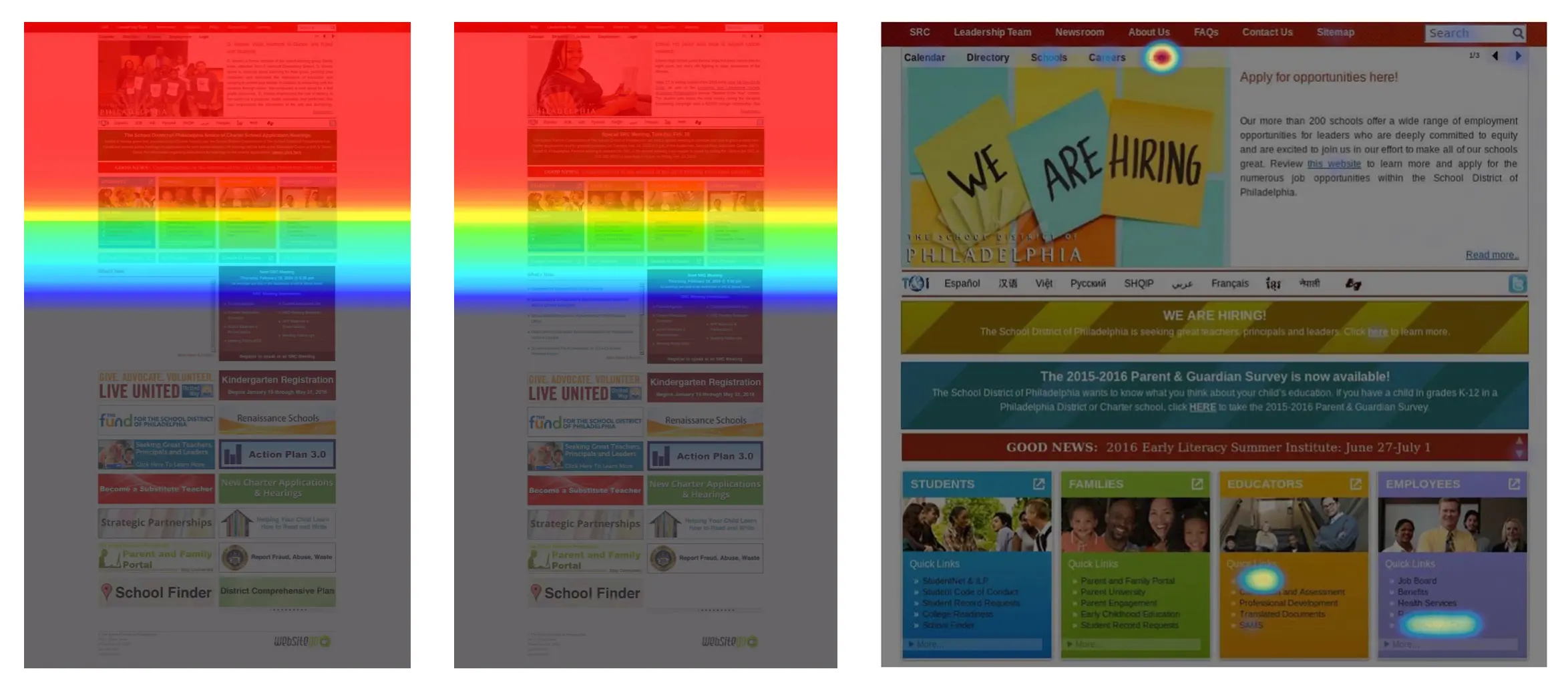
Beth and her team analyzed all available website data including historical Google Analytics data. Additionally, a heatmap tool was installed on the exisdting website to gather additional data of the high-value front page of the school district website.
Mobile Accessibility
The existing school district website was not responsive, so browsing on mobile devices was a particular pain point for users. Despite limited UX analysis for mobile users, we used supplementary data to ensure the new design would serve all devices effectively.
Performance Considerations: With the implementation of WordPress, media-rich layouts would be accessible to the school district’s webmasters. However, special consideration was paid to stripping down large files and overly complex functionality in order to deliver the best cross-platform and high-speed performance for the broad user base.

%
of users on desktop devices do not scroll below the primary calls-to-action
Heatmaps installed on the schoool district homepage tracked the scroll interaction of over 8,000 users and found that the current content-heavy homepage strategy was not effective.
Heatmaps
Heatmaps provided insights into navigation, layout, and content usage on the outdated site. This data guided the redesign to ensure intuitive navigation and strategic placement of key features. The homepage was a specific area of focus as the team evaluated the navigation, layout and content for its effectiveness.

Language Translation Capability
Language barriers were a priority, as the School District of Philadelphia serves many non-English-speaking constituents. The analysis of browser language settings informed a recommendation for up to eight bilingual microsites, significantly improving accessibility for ESL (English as a Second Language) users.
Defining Unique User Personas
After culminating the results of 40 in-depth interviews, Beth and her team developed eight personas that influenced both design and feature prioritization. The user personas focused on user goals and pain points. The final personas included a parent, a prospective teacher, a student and a community member. These personas also empowered the school district’s in-house Communications team to make informed decisions about content organization and user-focused improvements.
Sample Persona: Parent
The user is a tech-savvy prospective parent who is considering public and private education options for their child.
Goals
This Parent is looking for local schools for their child to attend. The user wants to compare schools by programs offered, demographics and assessment scores. This user is likely to search outside sources for additional information and will view the websites of individual schools.
Attitude
This user is likely to be skeptical about offerings available in the district for their child based on perception of the district through third-party sources. They are likely to have had positive experiences with private school websites that are fully responsive and whose content is used-focused.
%
of parents users
Of parent users who submitted responses to the online survey conducted by SDP, approximately 23% were visiting the SDP website to search for school information.
Behavior and Recommendations
For this user, searching schools by location, accessing statistical data for individual schools and comparing multiple schools will be a high priority function. The user is likely to dig deeper into the SDP website for qualitative information about curriculum and the district’s plan for growth. The user may look to third-party resources for information about the district or individual schools and the quality or validity of this information may by problematic for the school district. It is paramount that the School Finder (with profiles) is updated for a fully responsive experience that is visually consistent with the new website system. The website must be developed with a web interface and quality features that position it as the authority on information pertaining to its schools.
A positive website experience in terms of functionality and access to information will make a good impression on this user. The user will benefit from well-organized information with the option to browse deeper into various office microsite. This user will greatly benefit from features like recommended content and quick links for prospective parents.
Key Features & Functionality
“The website needs to be user-friendly, and not department-friendly.”
Over 40 user interviews were conducted throughout the course of the discovery process and included school district employees from a variety of offices.
Streamlining Navigation Systems
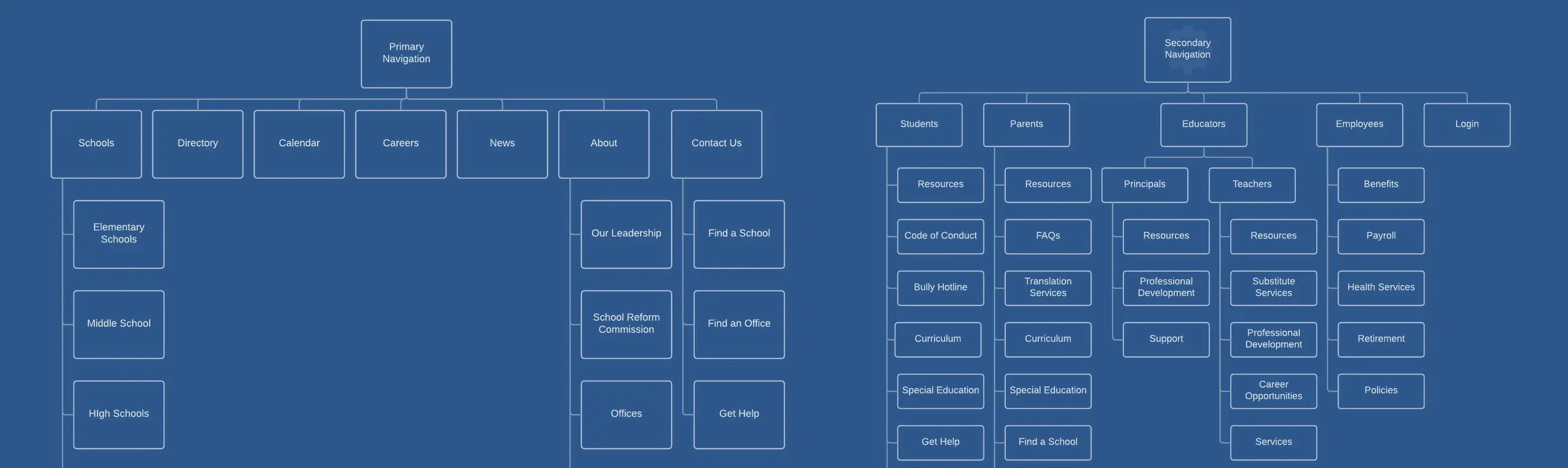
The project team determined that the new website required multiple navigation systems to address user needs and district complexity. Additionally, school and office specific menus would be required.
Primary & Secondary Menus: Provided broad and specific access.
Audience-Specific Navigation: Tailored for students, parents, educators, and employees to streamline information access.
Identifying Core Features for Enhanced Usability
A feature matrix was created, combining analytics, heatmap data, and user priorities. This ensured the integration of necessary functionalities and clear ownership of content areas for ongoing support.
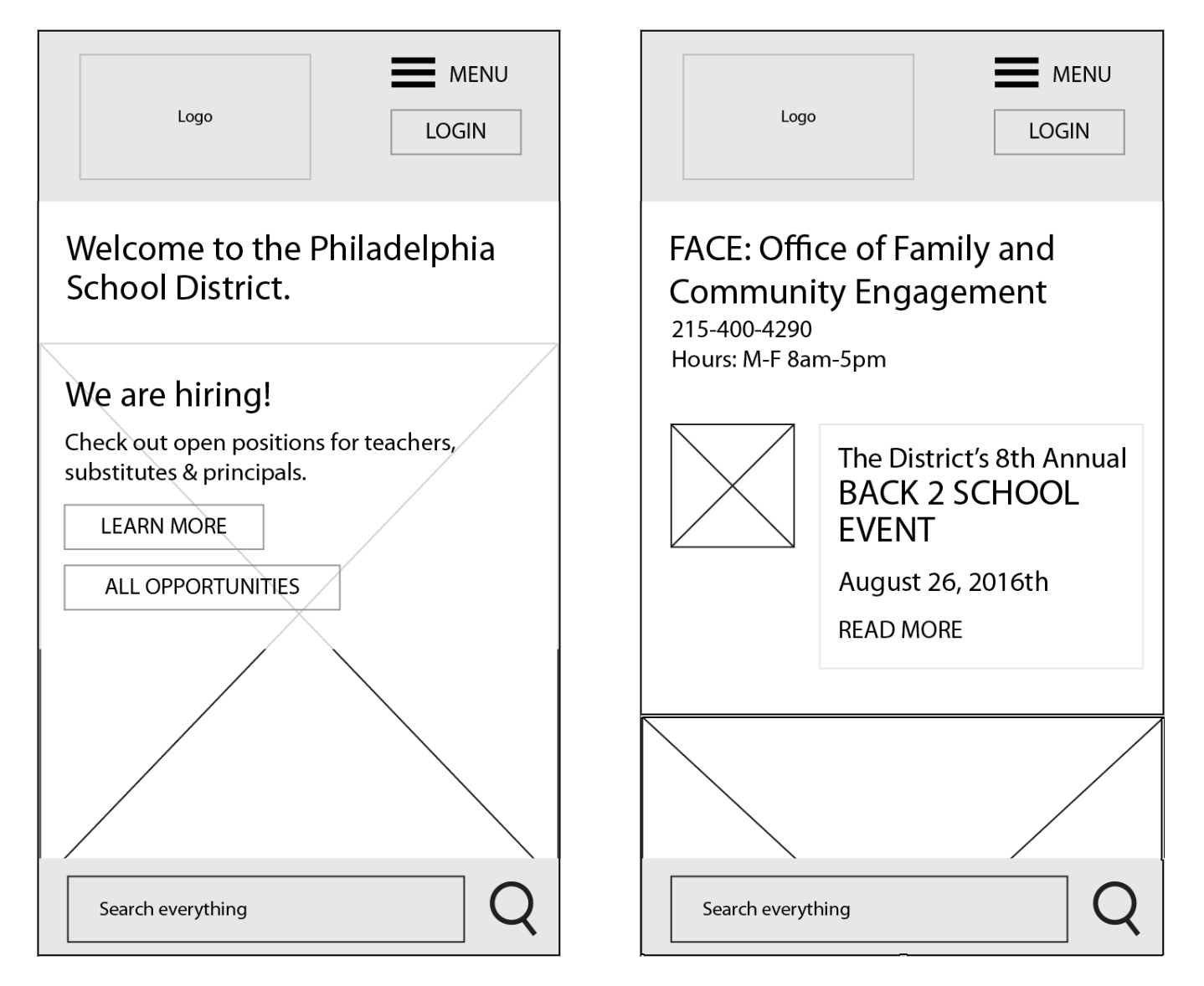
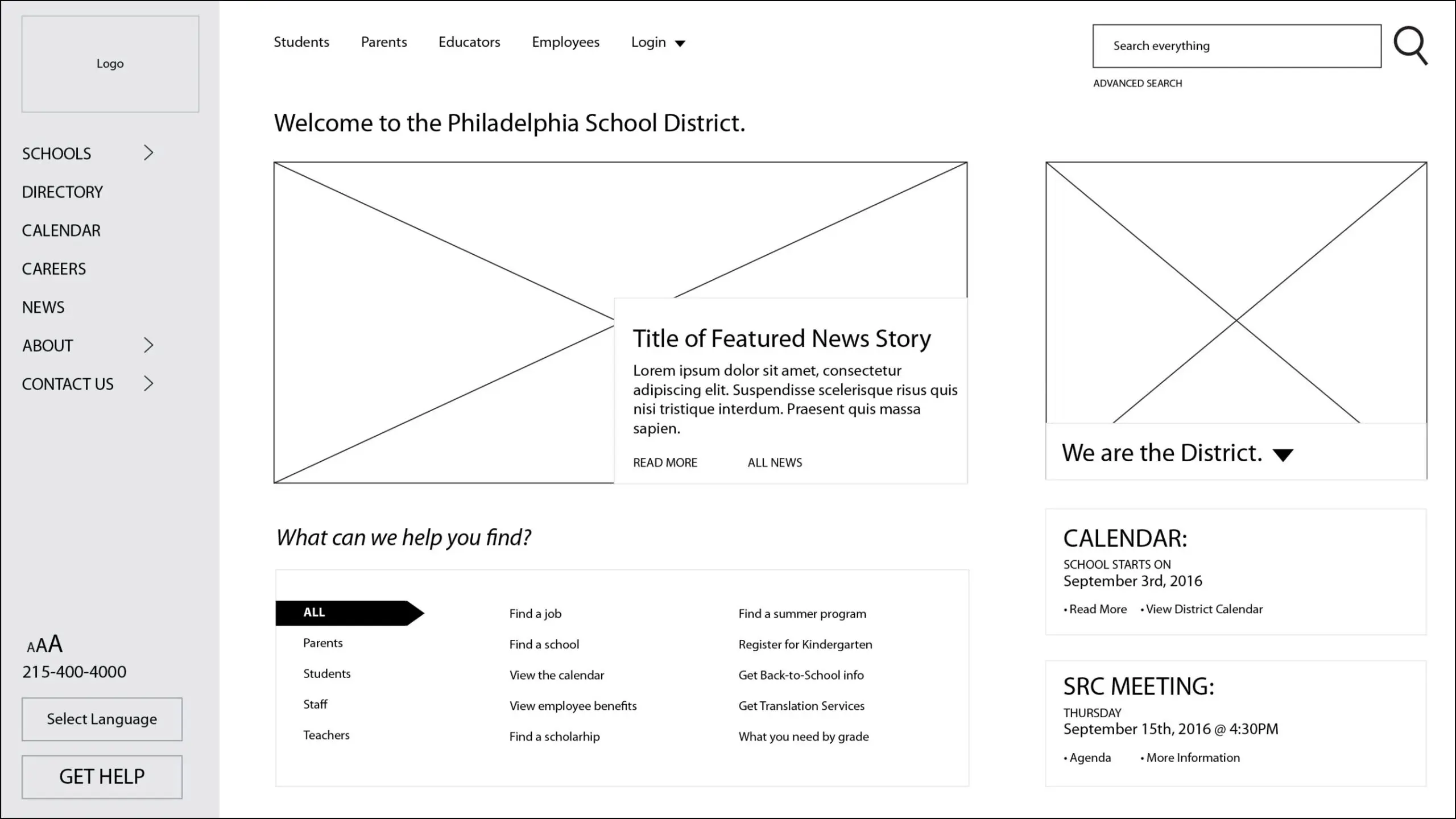
Wireframing and Concepting: The iterative wireframing process bridged conceptual ideas with practical implementation. Collaboration with the district’s project team resolved potential issues early and aligned expectations for the final design.
Updated the Multisite WordPress Search Functionality
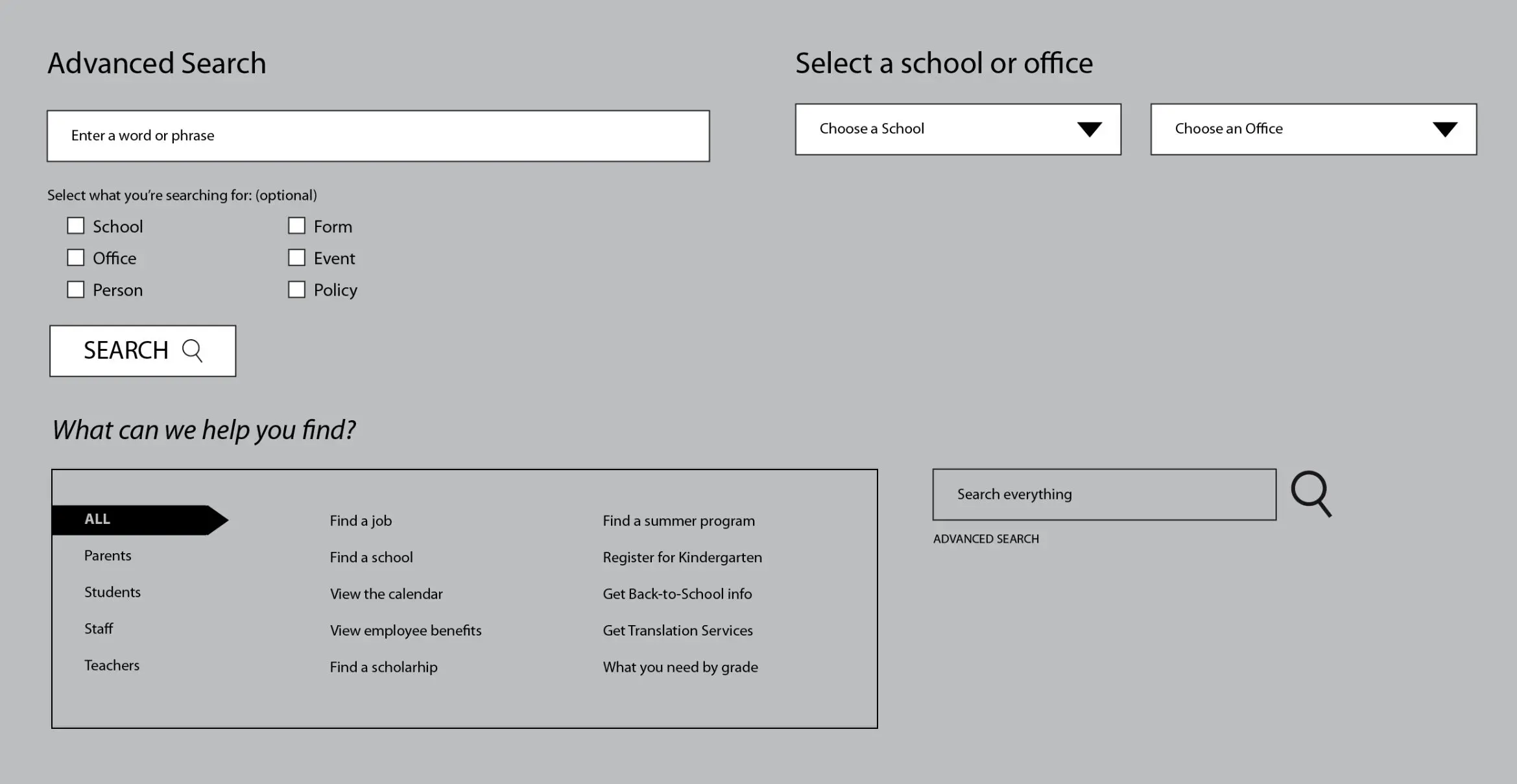
The existing search funtionality on the district website was not working as well as it could. The new website would require a significantly upgraded search functionality that searched the entire WordPress multisite system.
Live Search: Incude a live search with suggested search and search-by-content features.
Tagged Content: Assign tags to page content so that search will be able to group information by topic as well as user need, allowingfor much deeper interconnectivity throughout the website system.
“There’s not a lot of stuff I go directly to the school district website for anymore, because I found that if I go to Google, it comes up through their search engine better.”

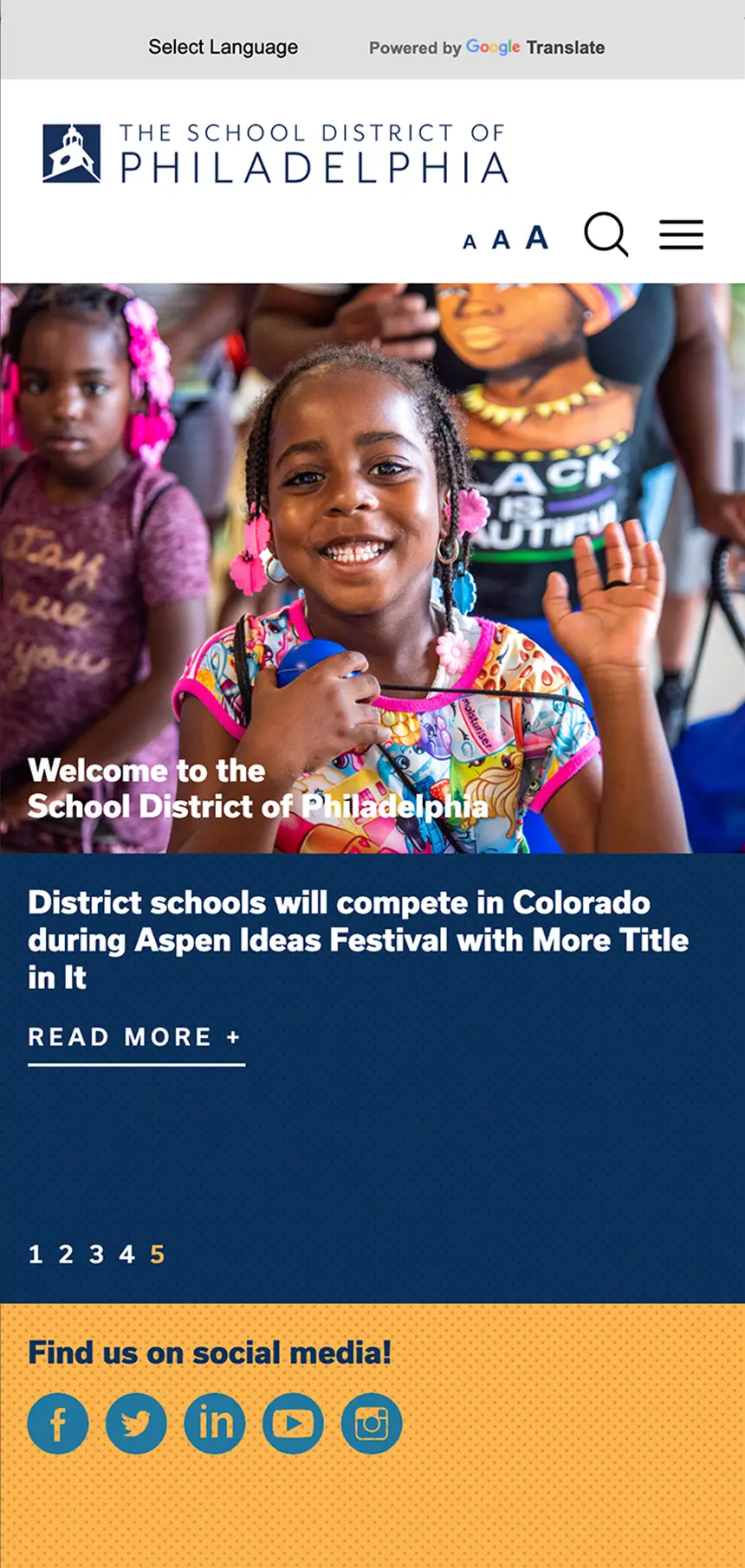
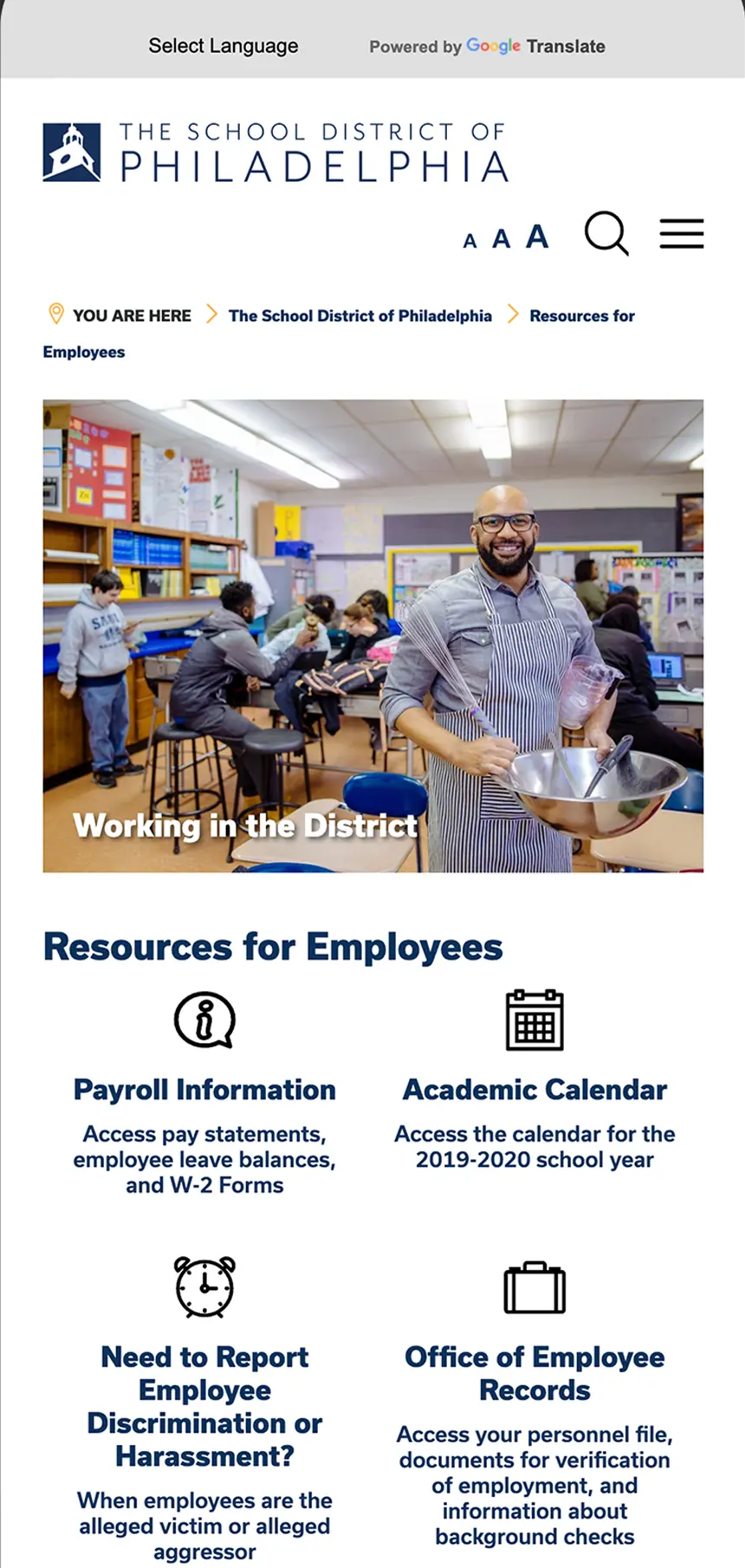
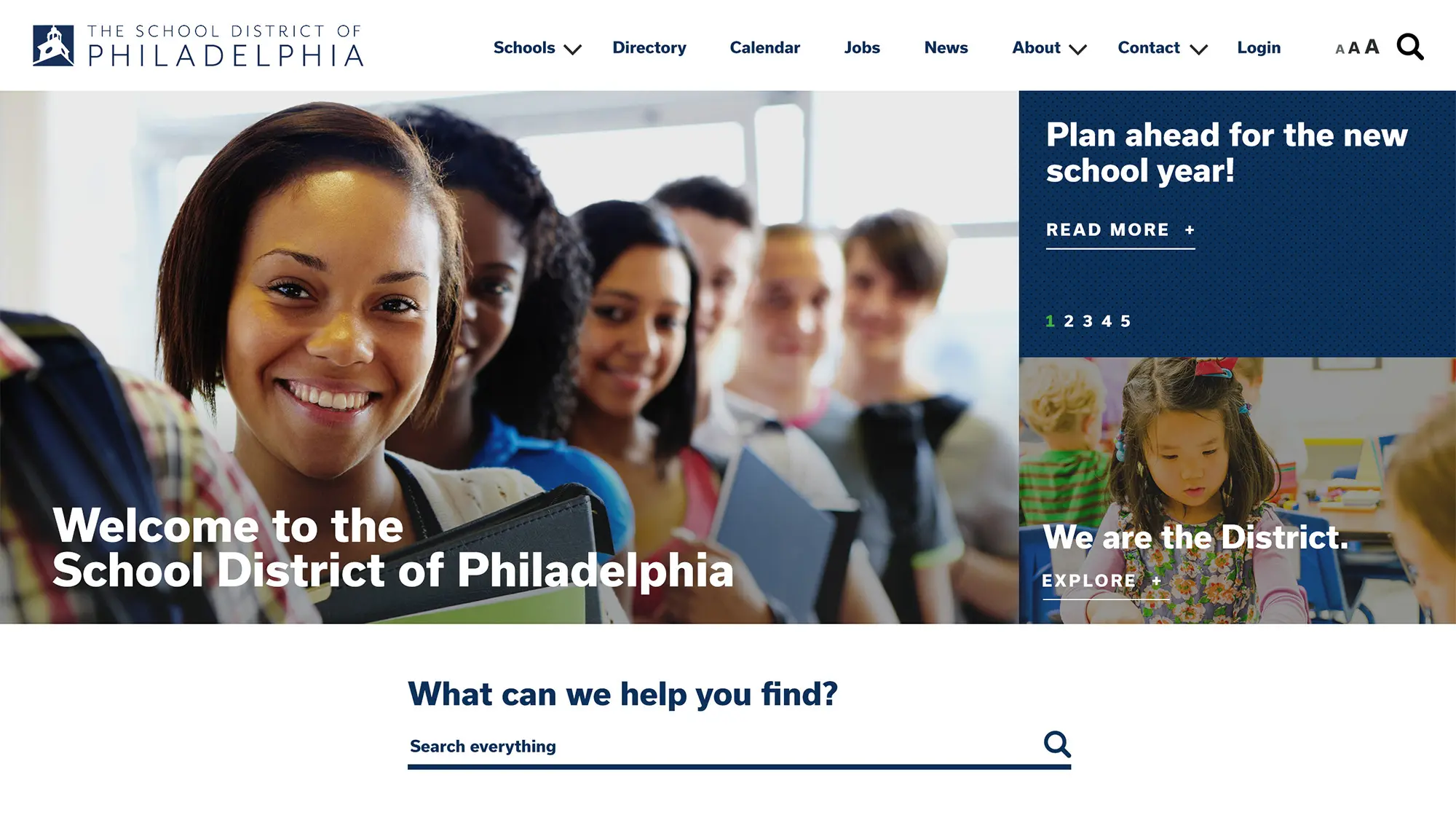
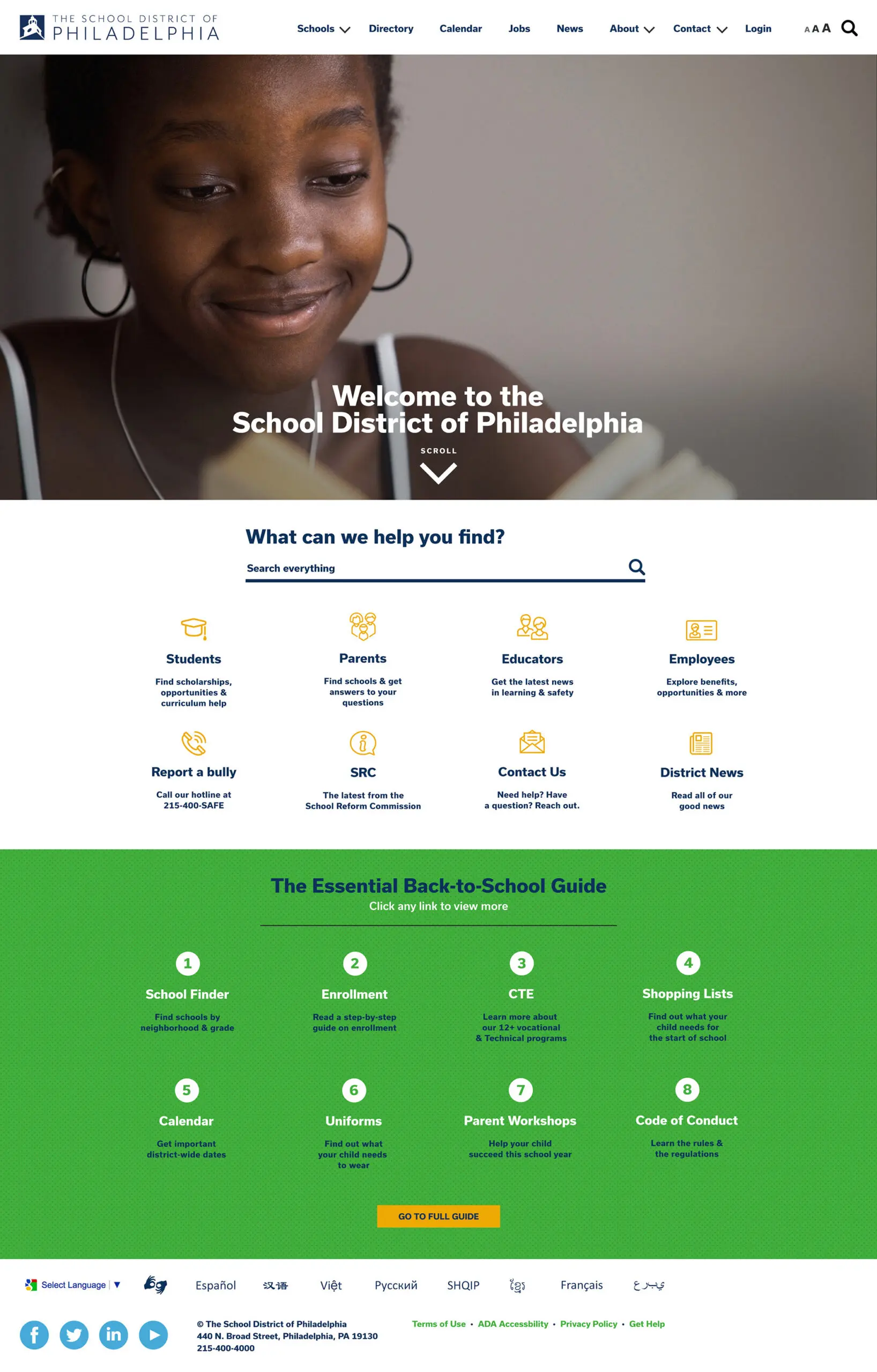
Samples of final creative concepts for the homepage for the School District of Philadelphia’s new website.
Designing an Easy-to-Use Web Interface with Customizable Options
Users consistently expressed frustration with the old website’s fractured and duplicative content structure. One user described the experience as going “down the rabbit hole.” While some content-related challenges fell outside our scope, Beth and her team delivered a streamlined, intuitive interface that improved navigation and usability.
Easy-to-Update Office Microsites
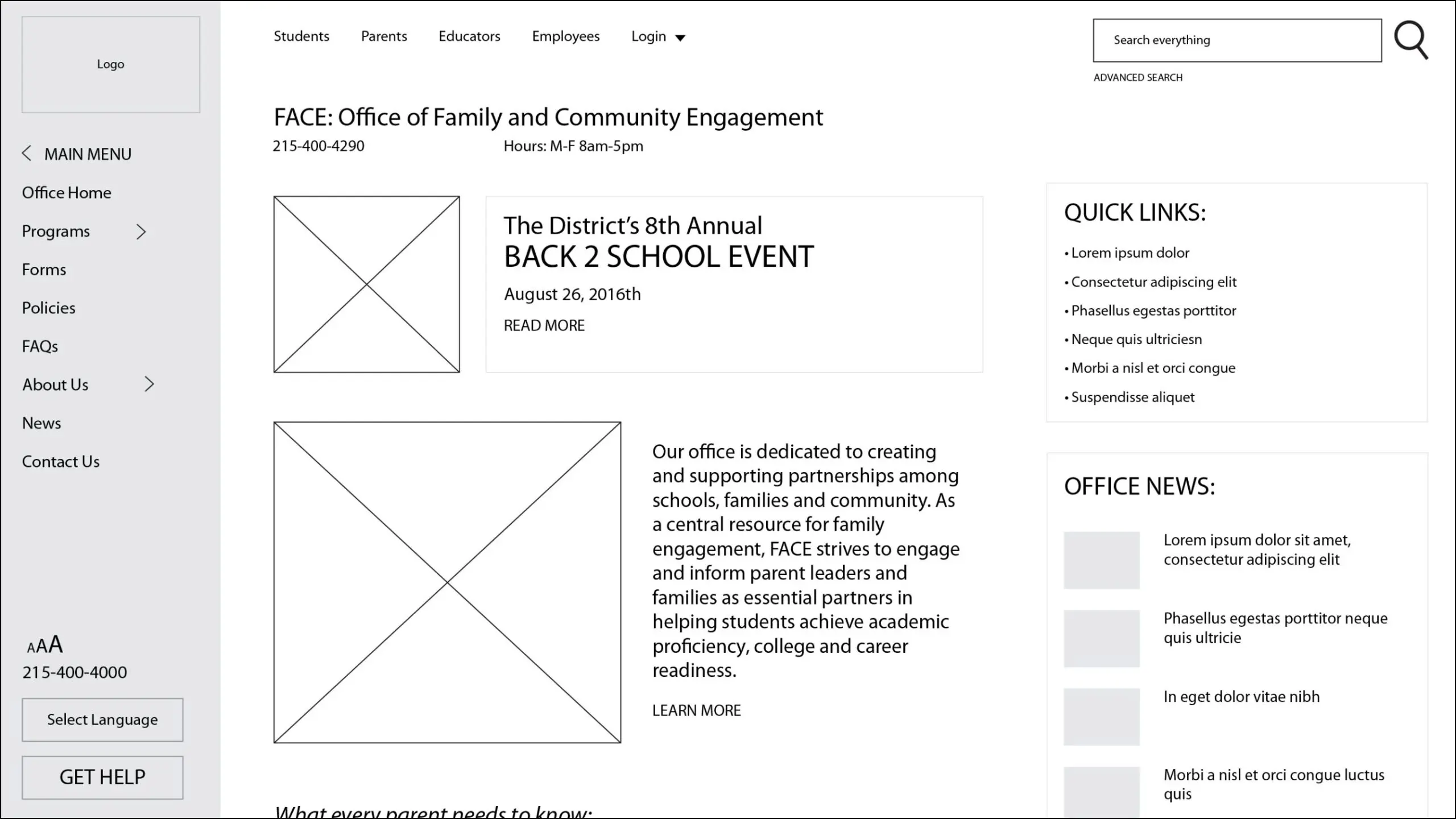
The technical strategy for the website redesign determined that all office sites should be incorporated into the new WordPress multisite system. Each office site would feature the same visual layout, with customizable features, a global navigaton and important features like breadcrumbs and last modified dates.
Content Management: The previous content management system did not allow web publishers to easily integrate images and video or create visual elements like price lists, tables and grids. Migrating to WordPress would allow individual office web publishers to customize their front-end content create media-rich layouts.
Training: The final stage of the project would include establishing best practice guidelines for the creation and maintenance of content. Additionally, an internal support team would oversee the process of training individual web publishers and hold them accountable for proper content creation and maintenance.

%
of employee users searched the website for school or office information

Mobile-First Design Thinking
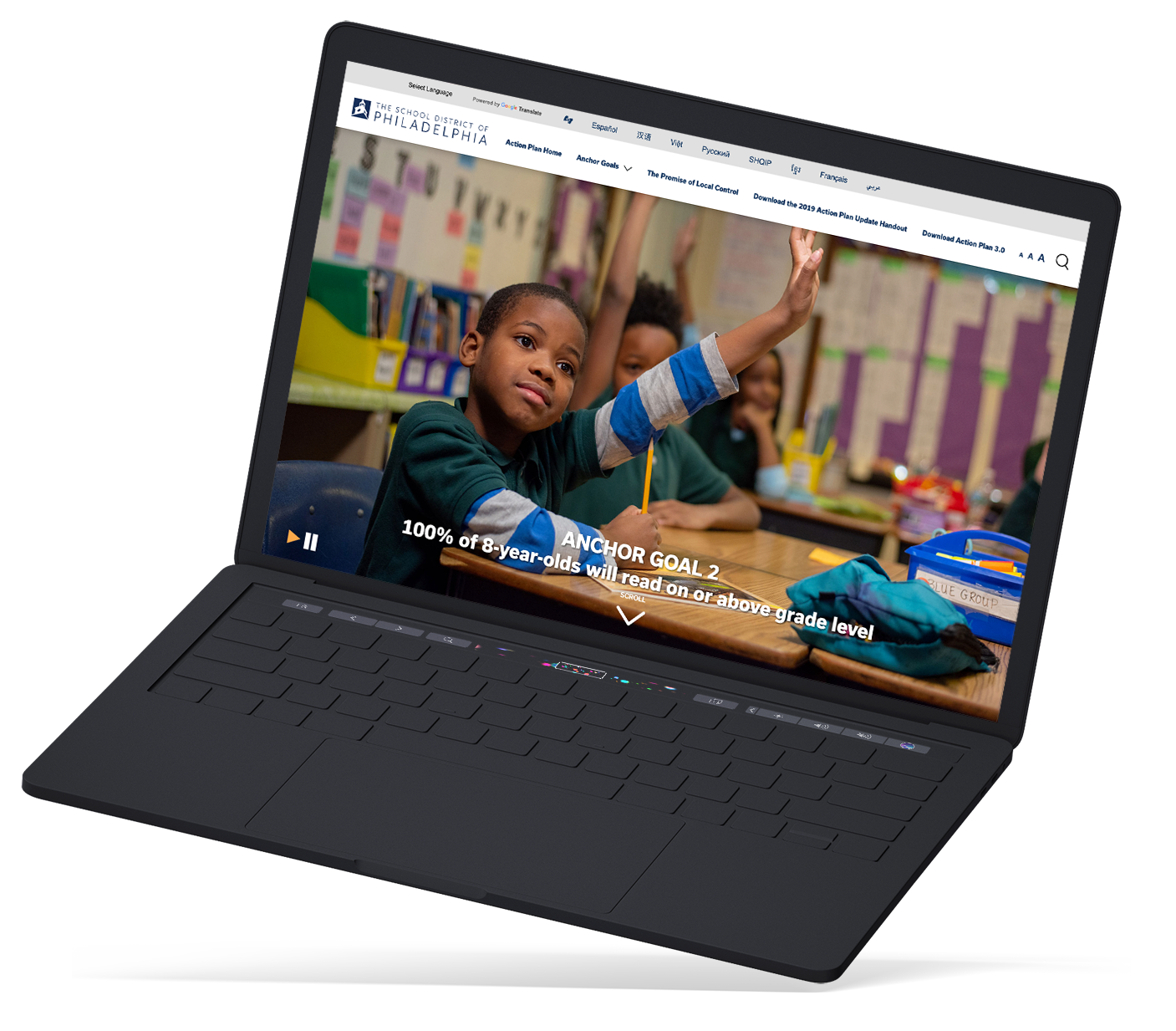
Driven by user insights, Beth and her team prioritized a mobile-first approach. The redesigned school district website offered a fully responsive experience, balancing usability, legibility, and aesthetics across devices.
Text Size: The new website system included the ability for users to change the font size across the entire school district website system with 3 size options including regular, large, XL.
%
of users visited the previous district website on a mobile device